
8051 Studio Lite1.7.20 - Google Play
You'll be able to see results in few seconds.
Publisher Description
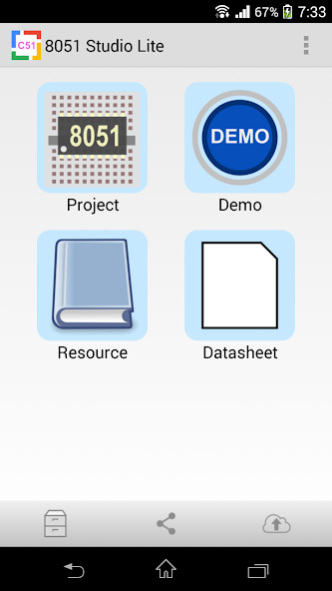


This app is a 8051 tutorial. It is suitable for hobbyist or engineering students.
Have you forgotten how to set up the TCON, TMOD, SCON, IE register etc.?
8051 Studio has a rapid 8051 C source code generator. Just pick up pre-defined devices and press "generation" button. All the C 8051 source code files will be generated. It works like a charm.
You do not care about the signal sequence. Just call a function ShowString( ) allow you to write a string to a character LCD. 8051 C programming is so easy after you have used the app.
Features
• Modular design and easy to use
• Lots of electronic devices including led, buzzer, relay, key switch, keypad, human sensor, 7-segment, LCM 8-bit etc
• Fast timer 0,1 setting
• Pin conflict detection
• Auto/manual pin assignment
• One-click generation C 8051 source code
Features in Pro
• Support 93C46 eeprom
• Support I2C eeprom 24C01 (128B) ~ 24C512 (64kB)
• Support SPI eeprom 25010 (128B) ~ 25M02 (256kB)
• Fast baud setup and auto generate UART interrupt routine
• Fast timer 2 (8052 only) setup and auto generate timer interrupt routine
• Extra devices : 8x8 led matrix, ADC, LCM 128x64, real time clock
• No Ads
• No limitation
Pro version:
https://play.google.com/store/apps/details?id=com.peterhohsy.C8051_studiopro
Note :
1. For those who need support please email to the designated email.
Do NOT use either the feedback area to write questions, it is not appropriate and that is not guaranteed that can read them.
MSC-51 are registered trademarks of Intel Corporation or its subsidiaries, in the US and/or other countries. This application is not related or affiliated in any way Intel Corporation.
About 8051 Studio Lite
The company that develops 8051 Studio Lite is Peter Ho. The latest version released by its developer is 1.7.20.
To install 8051 Studio Lite on your Android device, just click the green Continue To App button above to start the installation process. The app is listed on our website since 2023-06-18 and was downloaded 0 times. We have already checked if the download link is safe, however for your own protection we recommend that you scan the downloaded app with your antivirus. Your antivirus may detect the 8051 Studio Lite as malware as malware if the download link to com.peterhohsy.C8051_studio is broken.
How to install 8051 Studio Lite on your Android device:
- Click on the Continue To App button on our website. This will redirect you to Google Play.
- Once the 8051 Studio Lite is shown in the Google Play listing of your Android device, you can start its download and installation. Tap on the Install button located below the search bar and to the right of the app icon.
- A pop-up window with the permissions required by 8051 Studio Lite will be shown. Click on Accept to continue the process.
- 8051 Studio Lite will be downloaded onto your device, displaying a progress. Once the download completes, the installation will start and you'll get a notification after the installation is finished.
Program Details
System requirements
Download information
Pricing
Version History
version 1.7.20
posted on 2023-06-18
1.7.20
- Fix minor bugs
1.6.0
- Remove storage permission
1.5.5
- Fix minor bugs
1.3.0
- Fix layout problem in code wizard
version 1.7.15
posted on 2023-05-13
1.7.15
- Fix minor bugs
1.6.0
- Remove storage permission
1.5.5
- Fix minor bugs
1.3.0
- Fix layout problem in code wizard
version 1.7.10
posted on 2021-06-22
1.7.10
- Fix minor bugs
1.6.0
- Remove storage permission
1.5.5
- Fix minor bugs
1.3.0
- Fix layout problem in code wizard
version 1.6.6
posted on 2021-03-21
1.6.6
- Fix minor bugs
1.6.0
- Remove storage permission
1.5.5
- Fix minor bugs
1.3.0
- Fix layout problem in code wizard
version 1.6.0
posted on 2020-09-04
1.6.0
- Remove storage permission
1.5.5
- Fix minor bugs
1.3.0
- Fix layout problem in code wizard
version 1.5.5
posted on 2020-07-19
1.5.5
- Fix minor bugs
1.3.0
- Fix layout problem in code wizard
version 1.4.0
posted on 2019-01-30
1.4.0
- Fix minor bugs
1.3.0
- Fix layout problem in code wizard
version 1.1.0
posted on 2017-11-18
1.1.0
- New user interface
- Fix minor bug
1.0.21
* In-app purchase projects are added
1.0.19
* 5110 LCM example is added
* BMP280 sensor example is added
* DHT22 sensor example is added
* I2C 16x2 LCM example is added
1.0.18
- Roboic arm example is added
- OLED (I2C) example is added
1.0.17
- Bluetooth robot car example is added
- RPM measurement example is added
- Current measurement example is added
- Rotary encoder example is added
- Wifi home automation (ESP8266) example is added
version 1.0.12
posted on 2017-01-13
1.0.12,- Fix minor bugs,1.0.5,- Enhance the source code viewer
version 1.0.10
posted on 2016-02-01
1.0.10,- Fix minor bugs,1.0.5,- Enhance the source code viewer
Disclaimer
Official Google Play Link
We do not host 8051 Studio Lite on our servers. We did not scan it for viruses, adware, spyware or other type of malware. This app is hosted by Google and passed their terms and conditions to be listed there. We recommend caution when installing it.
The Google Play link for 8051 Studio Lite is provided to you by apps112.com without any warranties, representations or guarantees of any kind, so access it at your own risk.
If you have questions regarding this particular app contact the publisher directly. For questions about the functionalities of apps112.com contact us.
